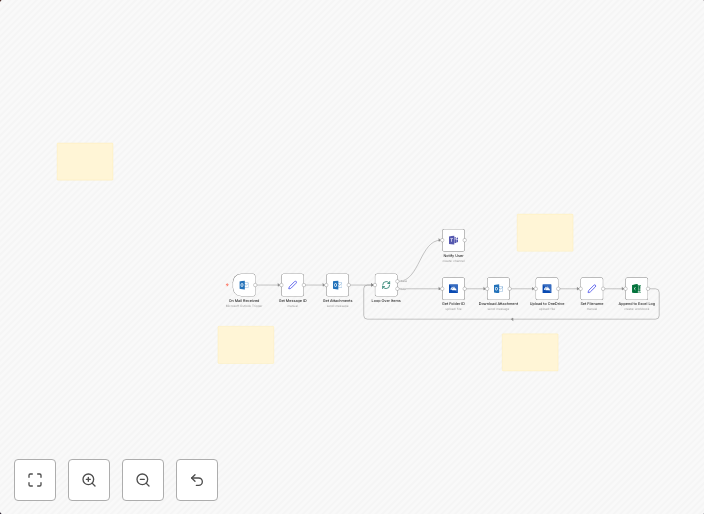
Automatic Microsoft Outlook attachment storage to OneDrive with Excel logging
📥 Save Email Attachments to OneDrive & Log Them in Excel This workflow watches your Outlook inbox, automatically downloads file attachments (for example...
Get This WorkflowAbout This Workflow
What This Workflow Does
This n8n automation workflow automatically downloads file attachments from your Microsoft Outlook inbox and stores them in OneDrive, while also logging the attachments in an Excel spreadsheet. The workflow continuously monitors your inbox for new emails with attachments, allowing you to maintain organized and easily accessible files. This process streamlines your email management and reduces clutter.
Who Should Use This
This workflow is ideal for professionals and business owners who frequently receive emails with attachments, such as marketing teams, sales teams, or anyone who wants to keep track of important documents.
Key Features
- Automatic Attachment Storage: The workflow automatically downloads and saves email attachments from your Outlook inbox to your OneDrive account.
- Excel Logging: Attachments are logged in an Excel spreadsheet, providing a clear record of all files received.
- Continuous Monitoring: The workflow continuously checks your inbox for new emails with attachments, ensuring that no file is missed.
- Easy Access: Stored attachments are easily accessible from your OneDrive account, eliminating the need to search through emails for specific files.
How to Get Started
To use this workflow, simply import it into your n8n instance and customize the settings to match your OneDrive and Outlook account credentials. You can then adjust the workflow to fit your specific needs and start automating your email attachment management.
Use This Workflow in n8n →Similar Workflows




Affiliate Disclosure: We may earn a commission if you sign up for n8n through our links. This doesn't affect our recommendations.