Automatically save & organize LINE message files in Google Drive with Sheets logging
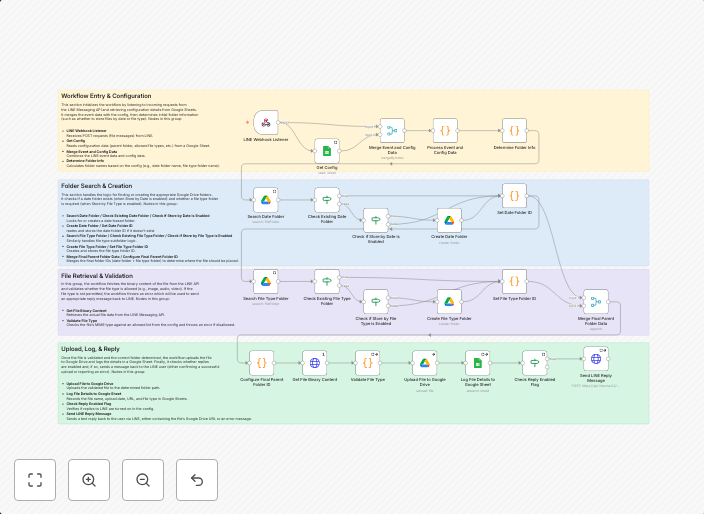
OverviewThis workflow automatically saves files received via LINE Messaging API into Google Drive and logs the file details into a Google Sheet. It checks...
Get This WorkflowAbout This Workflow
What This Workflow Does
This workflow automates the process of saving files received via the LINE Messaging API into Google Drive, while also logging file details into a Google Sheet. This ensures that files are organized and easily accessible, and that file information is kept track of for future reference. The workflow streamlines file management and reduces manual effort.
Who Should Use This
This workflow is ideal for developers, marketers, and business owners who use the LINE Messaging API to receive files from users and need an efficient way to organize and log these files.
Key Features
- Automated file saving: Files received via LINE Messaging API are automatically saved into Google Drive.
- Logging in Google Sheets: File details are logged into a Google Sheet for easy tracking and reference.
- Streamlined file management: This workflow reduces manual effort and ensures that files are organized and easily accessible.
How to Get Started
To use this workflow, simply import it into n8n, customize the settings to suit your needs (such as linking your Google Drive and Google Sheets accounts), and start receiving files via LINE Messaging API.
Use This Workflow in n8n →Similar Workflows




Affiliate Disclosure: We may earn a commission if you sign up for n8n through our links. This doesn't affect our recommendations.