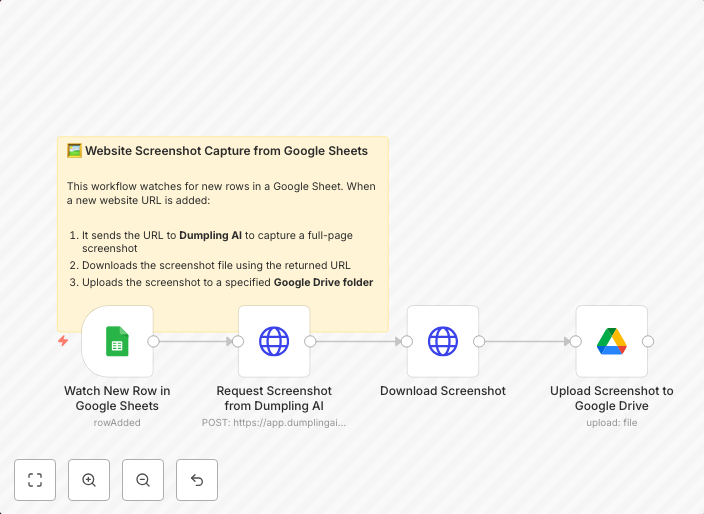
Capture and store website screenshots from Google Sheets to Drive using Dumpling AI
📄 What this workflow does This workflow captures a full-page screenshot of any website added to a Google Sheet and automatically uploads the screenshot to...
Get This WorkflowAbout This Workflow
What This Workflow Does
This workflow captures full-page screenshots of websites listed in a Google Sheet and automatically uploads them to Google Drive. It utilizes Dumpling AI to facilitate the process, making it efficient and streamlined. The result is a centralized repository of screenshots stored in Google Drive for easy access and reference.
Who Should Use This
This workflow is ideal for marketers, developers, and business owners who want to quickly capture and store website screenshots for various purposes such as website audits, competitor analysis, or monitoring website updates.
Key Features
- Captures full-page screenshots of websites using Dumpling AI
- Automatically uploads screenshots to Google Drive
- Integrates with Google Sheets for easy data management
- Utilizes AI-powered automation for efficient screenshot capture
How to Get Started
Import this workflow into your n8n environment and customize it by connecting your Google Sheets and Google Drive accounts. Configure the workflow to match your specific needs and start capturing and storing website screenshots with ease.
Use This Workflow in n8n →Similar Workflows




Affiliate Disclosure: We may earn a commission if you sign up for n8n through our links. This doesn't affect our recommendations.