Categorize Revolut transactions automatically with GPT-4 and Supabase
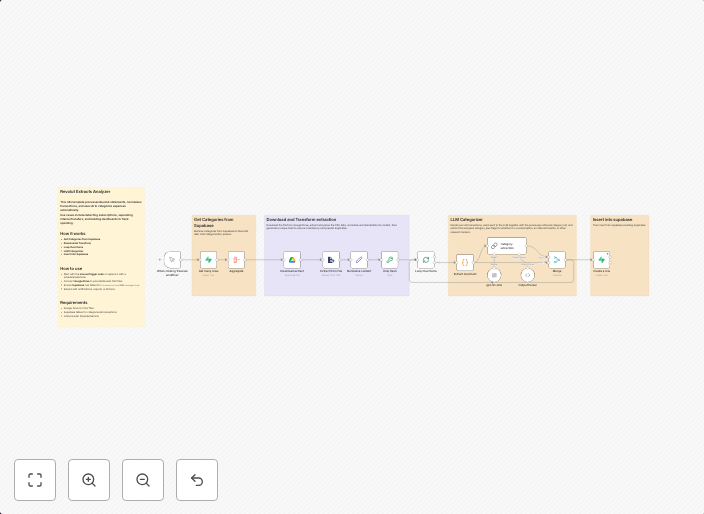
Revolut Extracts Analyzer This n8n template processes Revolut statements, normalizes transactions, and uses AI to categorize expenses automatically.Use...
Get This WorkflowAbout This Workflow
What This Workflow Does
This n8n automation workflow, created by Igor Fediczko, extracts and processes Revolut statements to categorize expenses automatically using AI with GPT-4. It normalizes transactions to make them easily understandable and provides an organized view of financial data. This workflow saves time and reduces manual effort by automating the process of categorizing expenses.
Who Should Use This
This workflow is ideal for individuals and businesses that use Revolut for financial transactions and want to streamline their expense management. It's especially useful for those who have difficulty categorizing transactions manually or struggle to keep track of expenses.
Key Features
- Automated Transaction Categorization: Uses AI with GPT-4 to categorize expenses, reducing manual effort and time spent on financial management.
- Revolut Statement Processing: Extracts and normalizes transactions from Revolut statements for easy understanding and analysis.
- Supabase Integration: Connects to Supabase for efficient data storage and retrieval.
- Document Extraction: Efficiently extracts data from Revolut statements to create an organized view of financial data.
How to Get Started
To use this workflow, import it into your n8n environment and customize the setup to match your Revolut account and Supabase integration. This will allow you to start automating your expense categorization and managing your financial data more efficiently.
Use This Workflow in n8n →Similar Workflows




Affiliate Disclosure: We may earn a commission if you sign up for n8n through our links. This doesn't affect our recommendations.