Clean & standardize CSV uploads for Google Sheets and Drive import
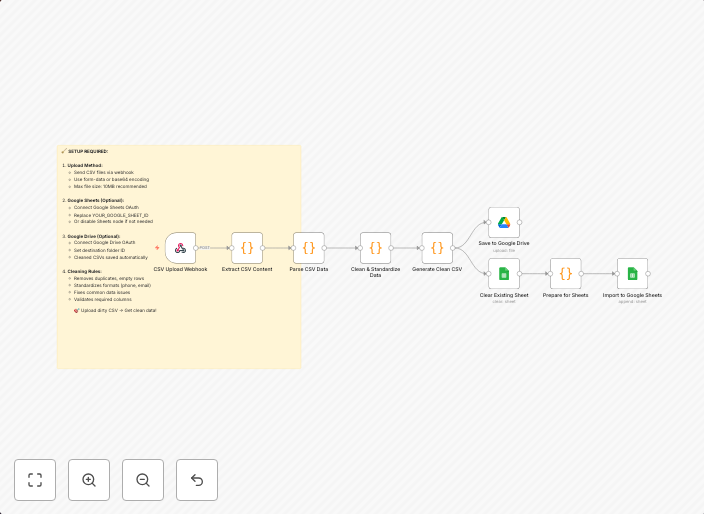
🧹 Auto-Clean CSV Uploads Before Import This workflow automatically cleans, validates, and standardizes any CSV file you upload. Perfect for preparing...
Get This WorkflowAbout This Workflow
What This Workflow Does
This workflow automatically cleans and standardizes CSV files before importing them into Google Sheets or Google Drive. It ensures data consistency and quality by validating and normalizing the uploaded data. The result is a clean and well-structured dataset ready for further analysis or use.
Who Should Use This
This workflow is ideal for users who frequently import CSV files into Google Sheets or Google Drive, such as data analysts, marketers, and business owners. It's also suitable for developers and system administrators who need to automate data processing tasks.
Key Features
- Validates uploaded CSV files to ensure they are in the correct format
- Cleans and standardizes data by handling missing values, duplicates, and data types
- Normalizes data formats to ensure consistency across the dataset
- Prepares data for import into Google Sheets or Google Drive
How to Get Started
To use this workflow, simply import it into your n8n account and connect it to your Google Sheets or Google Drive account. Configure the workflow to match your specific requirements, such as selecting the correct Google Drive folder or Google Sheets spreadsheet for import.
Use This Workflow in n8n →Similar Workflows




Affiliate Disclosure: We may earn a commission if you sign up for n8n through our links. This doesn't affect our recommendations.