Convert image URLs to an uploaded attachment in Airtable
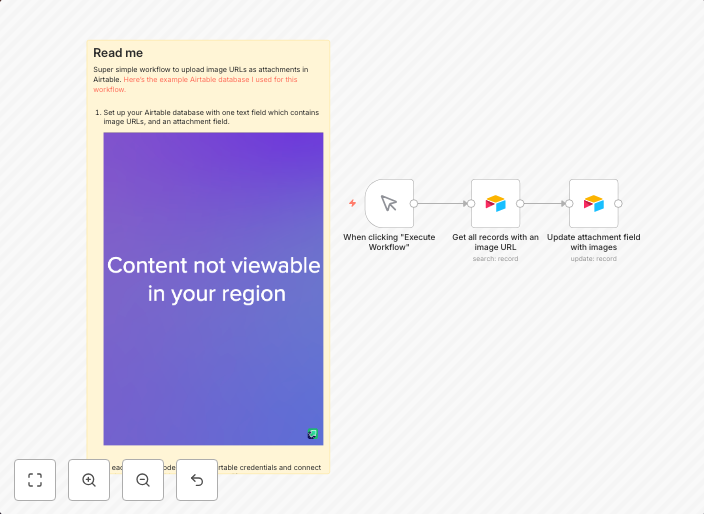
Super simple workflow to convert image URLs to an uploaded attachment in Airtable. You'll need to adjust the field names to match your specific data,...
Get This WorkflowAbout This Workflow
What This Workflow Does
This workflow is designed to automate the process of converting image URLs to uploaded attachments in Airtable, simplifying data management and maintenance. It allows users to update their image data in Airtable with a single click, without having to manually upload images. This saves time and reduces the risk of human error.
Who Should Use This
This workflow is ideal for marketers, business owners, and developers who manage large datasets with image URLs in Airtable and want to streamline their data management process.
Key Features
- Image URL Conversion: Automatically converts image URLs to uploaded attachments in Airtable.
- Field Mapping: Adjusts field names according to your specific Airtable data structure for seamless integration.
- Automated Data Update: Saves time by updating image data in Airtable with a single click.
- Error Reduction: Reduces the risk of human error by automating the image upload process.
How to Get Started
To start using this workflow, simply import the provided template into your n8n instance and customize it to match your specific Airtable data structure. Then, connect your Airtable account and start automating the image upload process for your data management tasks.
Use This Workflow in n8n →Similar Workflows




Affiliate Disclosure: We may earn a commission if you sign up for n8n through our links. This doesn't affect our recommendations.