
Create an RSS feed based on a website's content
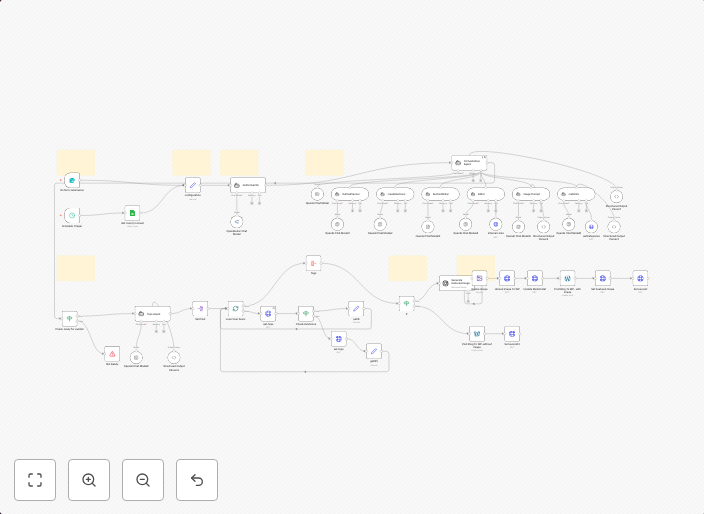
This workflow parses content from a website (for this example, Baserow's release page) and creates an RSS feed based on the extracted data. Prerequisites...
Get This WorkflowAbout This Workflow
What This Workflow Does
This workflow automates the creation of an RSS feed based on content from a specified website. It extracts relevant data from the website and constructs an RSS feed, making it easily accessible for users to stay updated on new content. The workflow is designed to save time and effort in managing and distributing website content.
Who Should Use This
This workflow is ideal for developers, marketers, and business owners who want to create a dynamic RSS feed for their website's content without manual intervention. It's particularly useful for those who manage multiple websites or want to streamline their content distribution process.
Key Features
- Automatic data extraction: The workflow extracts relevant data from the specified website, such as article titles, descriptions, and publication dates.
- Customizable RSS feed: Users can customize the RSS feed's layout and content to suit their needs.
- Scheduled updates: The workflow can be set to update the RSS feed at regular intervals, ensuring users always have access to the latest content.
- Integration with various platforms: The workflow can be easily integrated with various platforms, such as news aggregators, social media, or email clients, to expand the reach of the RSS feed.
How to Get Started
To use this workflow, simply import it into your n8n account and customize the settings to match your website's URL and content structure. From there, you can set up the workflow to run automatically and start distributing your website's content through a dynamic RSS feed.
Use This Workflow in n8n →Similar Workflows



Affiliate Disclosure: We may earn a commission if you sign up for n8n through our links. This doesn't affect our recommendations.