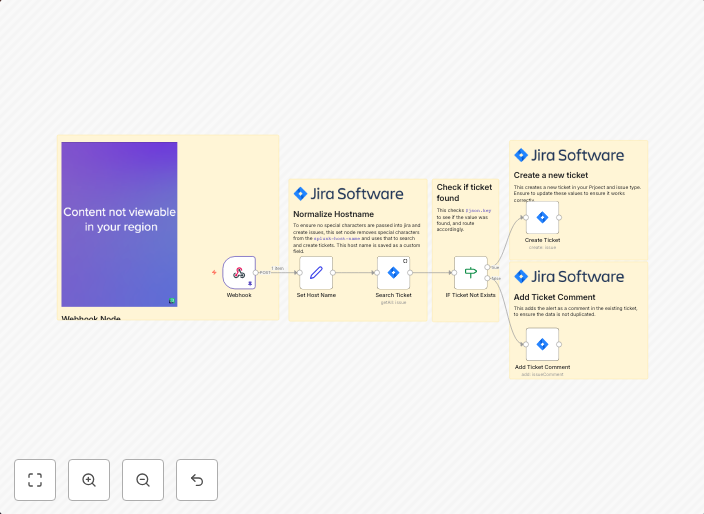
Create unique Jira tickets from Splunk alerts
The workflow is an automated process designed for incident management and tracking, specifically by integrating Splunk alerts with a Jira ticketing system...
Get This WorkflowAbout This Workflow
What This Workflow Does
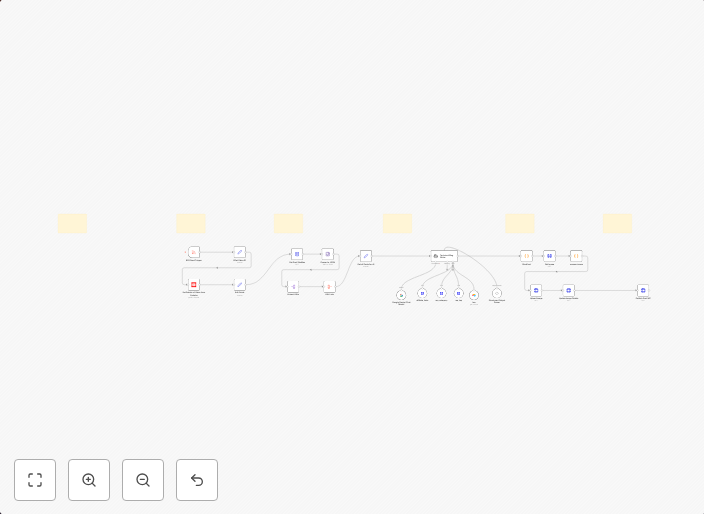
This workflow automates the process of creating unique Jira tickets from Splunk alerts, streamlining incident management and tracking. By integrating Splunk alerts with Jira, users can efficiently respond to and resolve issues in a centralized ticketing system. The workflow ensures that each alert is converted into a separate Jira ticket.
Who Should Use This
This workflow is ideal for DevOps teams, security analysts, and IT professionals responsible for monitoring and managing incidents in their organizations.
Key Features
- Automated Jira ticket creation: The workflow automatically generates new Jira tickets from Splunk alerts, eliminating manual entry and minimizing the risk of human error.
- Unique ticket creation: Each Splunk alert is converted into a separate Jira ticket, ensuring that each incident is tracked and resolved individually.
- Integration with Splunk: The workflow integrates with Splunk, allowing users to leverage their existing alerting system and infrastructure.
How to Get Started
To use this workflow, import it into your n8n instance and customize the settings to match your Jira and Splunk configurations. You may need to set up authentication credentials and map fields to ensure seamless data transfer between the two systems.
Use This Workflow in n8n →Similar Workflows
Affiliate Disclosure: We may earn a commission if you sign up for n8n through our links. This doesn't affect our recommendations.