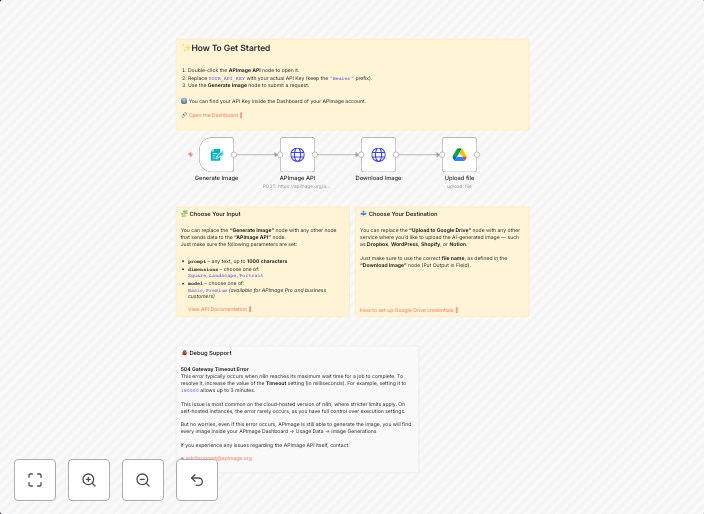
Generate AI images with APImage and upload to Google Drive
AI Image Generator Workflow This workflow lets you automatically generate AI images with the APImage API 🡥, download the generated image, and upload it to...
Get This WorkflowAbout This Workflow
What This Workflow Does
This AI Image Generator Workflow automates the process of generating AI images using the APImage API, downloading the generated images, and uploading them to Google Drive. The workflow streamlines content creation by eliminating manual image generation and upload tasks. This enables users to quickly produce and store multiple AI-generated images.
Who Should Use This
This workflow is ideal for developers, marketers, and business owners who want to leverage the power of Multimodal AI for content creation, such as social media graphics, blog post images, or product visualizations.
Key Features
- Automated AI Image Generation: Generate AI images using the APImage API without manual intervention.
- Image Download and Upload: Download generated images and upload them to Google Drive for easy storage and access.
- Streamlined Content Creation: Save time and effort by automating repetitive image generation and upload tasks.
How to Get Started
Import this workflow into your n8n instance and customize the settings to connect with your APImage and Google Drive accounts. Configure the workflow to suit your specific needs and start generating AI images automatically.
Use This Workflow in n8n →Similar Workflows




Affiliate Disclosure: We may earn a commission if you sign up for n8n through our links. This doesn't affect our recommendations.