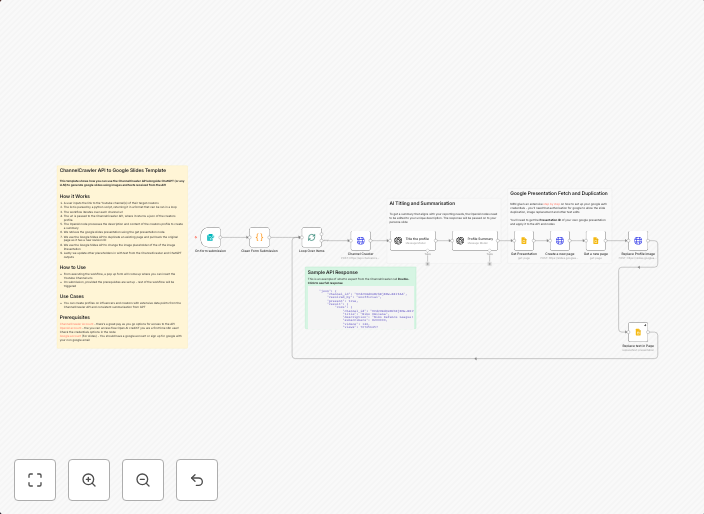
Generate YouTube channel profile reports in Google Slides with ChannelCrawler & GPT-4
ChannelCrawler API to Google Slides Template This template shows how you can use the ChannelCrawler API alongside ChatGPT (or any LLM) to generate google...
Get This WorkflowAbout This Workflow
What This Workflow Does
This workflow automates the process of generating YouTube channel profile reports in Google Slides using the ChannelCrawler API and GPT-4 (a Large Language Model). It retrieves data from the ChannelCrawler API, summarizes it with GPT-4, and then populates a Google Slides template with the generated report. This streamlined process saves time and effort for users who need to analyze YouTube channel data.
Who Should Use This
This workflow is ideal for marketers, business owners, and researchers who need to analyze YouTube channel data and generate reports on a regular basis. It's particularly useful for those who want to leverage AI-driven insights and automate repetitive tasks.
Key Features
- Retrieves data from the ChannelCrawler API
- Uses GPT-4 for AI-driven summarization and analysis
- Populates a Google Slides template with the generated report
- Automates the process of generating YouTube channel profile reports
How to Get Started
To get started with this workflow, import it into your n8n account and customize the settings to match your specific requirements. You'll need to connect your Google Slides account and configure the ChannelCrawler API credentials for seamless integration.
Use This Workflow in n8n →Similar Workflows




Affiliate Disclosure: We may earn a commission if you sign up for n8n through our links. This doesn't affect our recommendations.