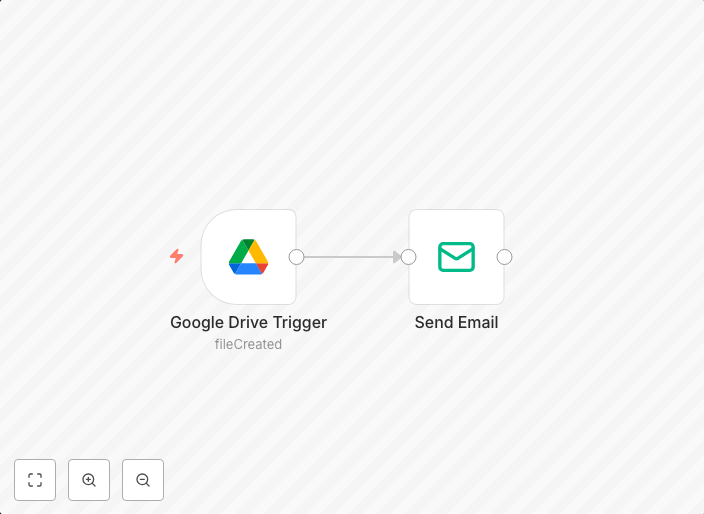
Get email notifications for newly uploaded Google Drive files
This workflow sends out email notifications when a new file has been uploaded to Google Drive. The workflow uses two nodes:Google Drive Trigger: This node...
Get This WorkflowAbout This Workflow
What This Workflow Does
This workflow automates the process of sending email notifications when new files are uploaded to Google Drive. It leverages the power of automation to keep you informed about newly uploaded files, saving you time and effort. By setting up this workflow, you'll receive timely notifications about uploaded files, allowing you to stay on top of your work.
Who Should Use This
This workflow is suitable for anyone who frequently uploads files to Google Drive and needs to stay informed about new uploads. This could include developers, marketers, business owners, and others who rely on Google Drive for file storage and collaboration.
Key Features
- Triggers notifications when a new file is uploaded to Google Drive
- Automates the process of sending email notifications
- Allows for customization of email content and recipients
- Integrates with Google Drive for seamless file upload detection
How to Get Started
To use this workflow, import it into n8n and customize the settings to match your specific needs. Set up your Google Drive connection, select the folders you want to monitor, and choose the email recipients who will receive notifications. With a few simple steps, you'll be able to automate email notifications for newly uploaded Google Drive files.
Use This Workflow in n8n →Similar Workflows




Affiliate Disclosure: We may earn a commission if you sign up for n8n through our links. This doesn't affect our recommendations.