Parse and extract invoice data with Nanonets OCR and export to Excel
This workflow contains community nodes that are only compatible with the self-hosted version of n8n. Description This workflow automates document processing...
Get This WorkflowAbout This Workflow
What This Workflow Does
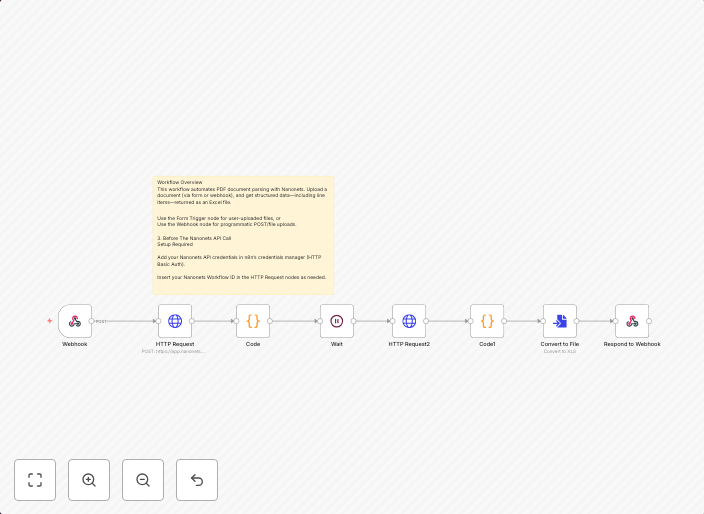
This workflow automates the parsing and extraction of invoice data from documents using Nanonets OCR, then exports the extracted data to an Excel file. It streamlines document processing and data entry, saving time and increasing efficiency. The workflow can handle various types of invoices and extract relevant information.
Who Should Use This
This workflow is ideal for business owners, financial managers, and accounting teams who need to process large volumes of invoices and require accurate data extraction for financial analysis and reporting.
Key Features
- Automated Document Processing: Extracts invoice data from documents using Nanonets OCR, eliminating the need for manual data entry.
- Invoice Data Extraction: Extracts relevant information from invoices, including dates, amounts, and payment details.
- Export to Excel: Exports the extracted data to an Excel file for further analysis and reporting.
- Scalability: Handles multiple invoices and documents, making it suitable for large-scale invoice processing.
How to Get Started
To use this workflow, import it into your self-hosted n8n instance and customize the node settings to match your specific invoice document requirements. This will enable you to automate your invoice processing and data extraction tasks, streamlining your financial operations.
Use This Workflow in n8n →Similar Workflows




Affiliate Disclosure: We may earn a commission if you sign up for n8n through our links. This doesn't affect our recommendations.