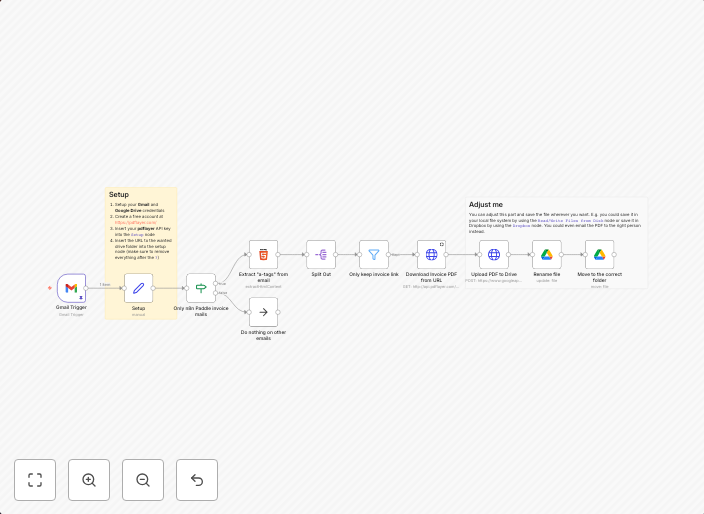
Save n8n Cloud invoices received in Gmail in Google Drive
Who this is forThis template is for everyone that wants to download their n8n Cloud invoices automatically as a PDF instead of downloading them manually.How...
Get This WorkflowAbout This Workflow
What This Workflow Does
This n8n automation workflow saves invoices received in Gmail as PDFs in Google Drive, eliminating the need for manual downloads. It automates the process of retrieving and organizing invoices, making it a convenient and efficient solution for n8n Cloud users. By integrating with Gmail and Google Drive, this workflow streamlines your invoice management.
Who Should Use This
This template is ideal for n8n Cloud users who want to simplify their invoice processing and management. It's a great fit for anyone looking to automate repetitive tasks and save time.
Key Features
- Retrieves and downloads invoices from Gmail
- Saves invoices as PDFs in Google Drive
- Automates the process of downloading and organizing invoices
- Integrates with Gmail and Google Drive for seamless connectivity
How to Get Started
To start using this workflow, simply import it into your n8n account and customize the workflow settings to match your specific Gmail and Google Drive account credentials. Once configured, the workflow will automatically save invoices as PDFs in your designated Google Drive folder.
Use This Workflow in n8n →Similar Workflows




Affiliate Disclosure: We may earn a commission if you sign up for n8n through our links. This doesn't affect our recommendations.