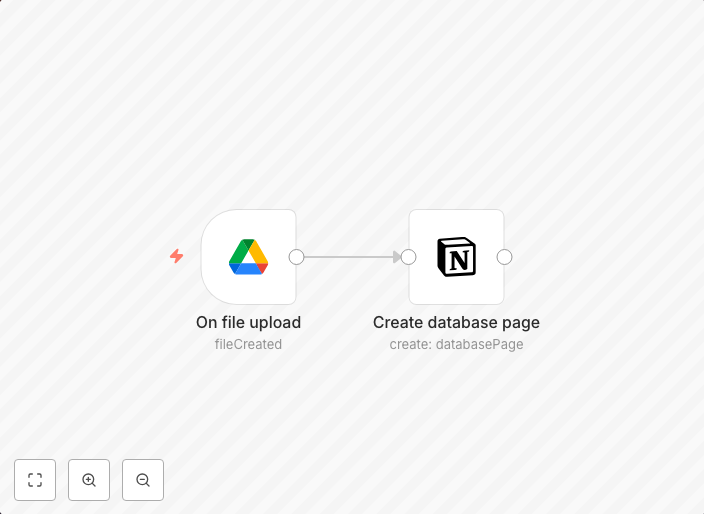
Send Google Drive files to Notion database
This workflow sends a file to a Notion database of your choosing when a new file is created in a specific Google Drive folder. Prerequisites Notion account...
Get This WorkflowAbout This Workflow
What This Workflow Does
This workflow automates the process of sending new files created in a specified Google Drive folder to a Notion database. It streamlines file management, ensuring that files are efficiently stored and organized in a centralized database. This integration eliminates manual data entry and saves time.
Who Should Use This
This workflow is ideal for business owners, marketers, and developers who rely on Google Drive for file storage and Notion for database management. It's perfect for teams that need to collaborate and organize files efficiently.
Key Features
- Automated File Transfer: Send new files created in a Google Drive folder to a Notion database.
- Real-time Data Synchronization: Ensure that your Notion database is always up-to-date with the latest files from your Google Drive folder.
- Customizable Integration: Choose the specific Google Drive folder and Notion database for the workflow.
- Robust Error Handling: Handle errors and exceptions to prevent workflow disruptions.
How to Get Started
To use this workflow, import it into your n8n instance and customize it by connecting your Google Drive and Notion accounts. Follow the on-screen instructions to set up the workflow and configure the integration settings to meet your specific needs.
Use This Workflow in n8n →Similar Workflows




Affiliate Disclosure: We may earn a commission if you sign up for n8n through our links. This doesn't affect our recommendations.