Transcribe & summarize Telegram voice notes with OpenAI and DeepSeek Chat to Google Docs
This workflow automates the process of transcribing voice notes from Telegram and then summarizing them, finally saving both the transcript and the summary...
Get This WorkflowAbout This Workflow
What This Workflow Does
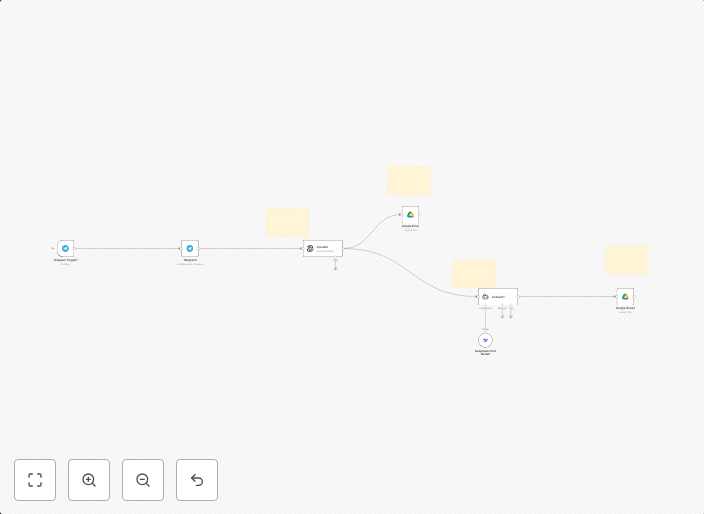
This workflow automates the transcription of voice notes from Telegram using OpenAI, followed by summarization of the transcript using DeepSeek Chat, and finally saves both the transcript and the summary to Google Docs. It leverages the power of AI to streamline the process of converting voice recordings into written text and condensed summaries. This enables users to quickly analyze and work with the content of their Telegram voice notes.
Who Should Use This
This automation is ideal for users who frequently receive voice notes through Telegram and need to convert them into written form for easier reference or analysis, such as developers, marketers, business owners, or anyone who communicates primarily through voice notes.
Key Features
- Transcribes Telegram voice notes using OpenAI
- Summarizes the transcript using DeepSeek Chat
- Saves both the original transcript and the summary to Google Docs
- Automates the conversion process, reducing manual transcription time and effort
How to Get Started
To use this workflow, import the provided nodes into your n8n instance and customize the Telegram, OpenAI, DeepSeek Chat, and Google Docs integrations to match your credentials and needs. Once set up, simply trigger the workflow with a new Telegram voice note to start the automation process.
Use This Workflow in n8n →Similar Workflows




Affiliate Disclosure: We may earn a commission if you sign up for n8n through our links. This doesn't affect our recommendations.