Translate documents to multiple languages with Google Drive and DeepL
Who's it for This workflow is perfect for content creators, international teams, and businesses that need to translate documents into multiple languages...
Get This WorkflowAbout This Workflow
What This Workflow Does
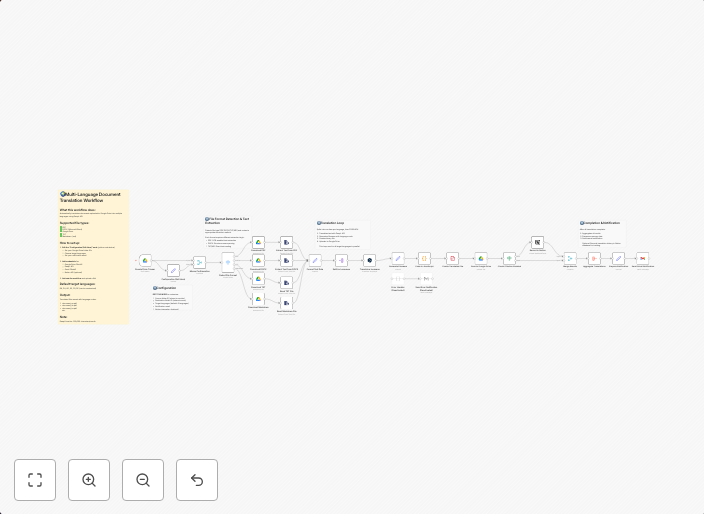
This workflow automates the translation of documents into multiple languages using Google Drive and DeepL integrations. It allows users to upload documents, select languages for translation, and receive the translated documents in their desired formats. The workflow streamlines the translation process, saving time and effort for content creators, teams, and businesses.
Who Should Use This
This workflow is ideal for content creators, international teams, and businesses that need to translate documents into multiple languages for various purposes, such as marketing, customer support, or internal communication.
Key Features
- Automatic Document Upload: Upload documents from Google Drive to the workflow for translation.
- Multi-Language Support: Select multiple languages for translation, and receive the translated documents in their respective formats.
- DeepL Integration: Utilize DeepL's advanced translation capabilities to ensure accurate and high-quality translations.
- Flexible Output: Receive translated documents in various formats, including PDF, Word, and more.
How to Get Started
To use this workflow, import it into your n8n environment and connect your Google Drive and DeepL accounts. Customize the workflow settings as needed, such as selecting the languages and document formats you require.
Use This Workflow in n8n →Similar Workflows




Affiliate Disclosure: We may earn a commission if you sign up for n8n through our links. This doesn't affect our recommendations.