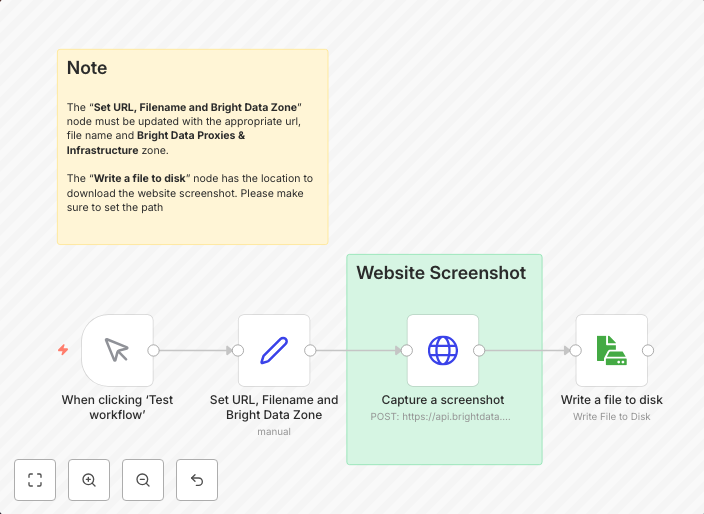
Capture website screenshots with Bright Data Web Unlocker and save to disk
Who is this for?The Capture Website Screenshots with Bright Data Web Unlocker and Save to Disk workflow is built for automation professionals and developers...
Get This WorkflowAbout This Workflow
What This Workflow Does
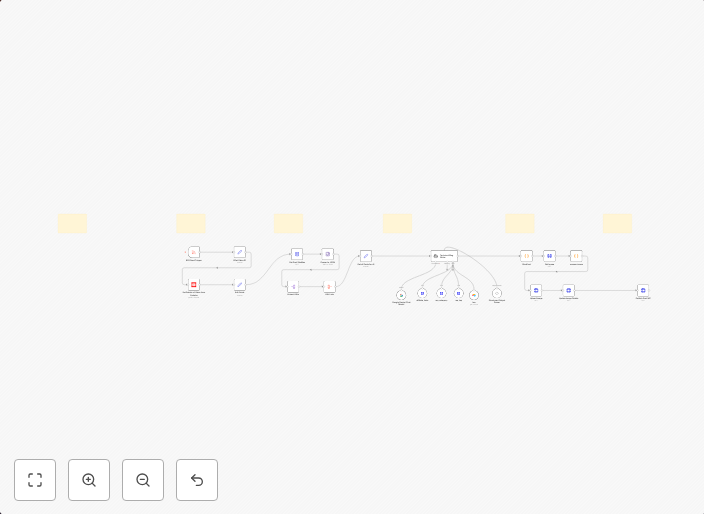
This workflow uses Bright Data Web Unlocker to capture website screenshots and saves them to disk. It automates the process of taking screenshots of websites, making it ideal for tasks such as website monitoring, testing, or content creation. The workflow allows users to customize the screenshot capture process and save the images to their local disk.
Who Should Use This
This workflow is designed for automation professionals and developers who need to capture website screenshots as part of their workflow or project. It is also suitable for marketers, business owners, or anyone who requires automated website screenshot capture and storage.
Key Features
- Captures website screenshots using Bright Data Web Unlocker
- Saves screenshots to disk for easy access and storage
- Allows for customization of screenshot capture settings
- Can be integrated with other workflows for further automation
How to Get Started
To use this workflow, import the "Capture Website Screenshots with Bright Data Web Unlocker and Save to Disk" workflow into your n8n instance. Customize the workflow settings as needed, including the website URL, screenshot settings, and file storage location.
Use This Workflow in n8n →Similar Workflows
Affiliate Disclosure: We may earn a commission if you sign up for n8n through our links. This doesn't affect our recommendations.