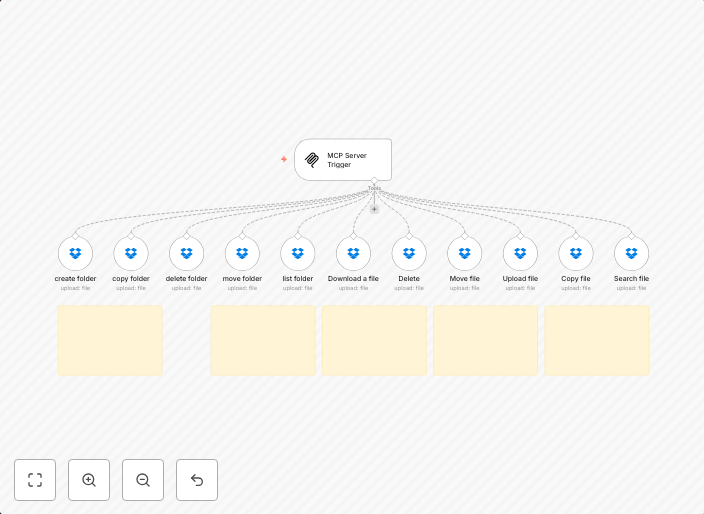
Dropbox file management automation suite for bulk operations
🚀 Why Choose MCP - Dropbox? Save Time: Automate bulk actions like copy, move, or delete folders—no more endless clicking.Reduce Errors: Automated rules...
Get This WorkflowAbout This Workflow
What This Workflow Does
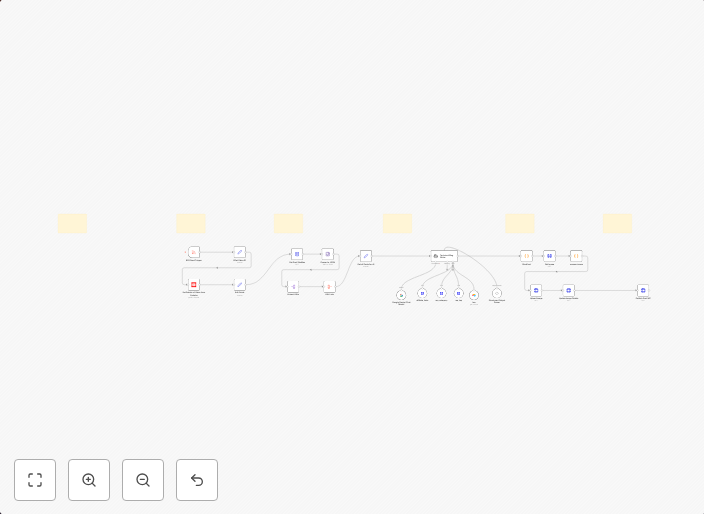
This workflow is a comprehensive automation suite designed to streamline bulk operations in Dropbox, allowing users to automate repetitive tasks such as copying, moving, or deleting folders. By automating these tasks, users can save time and reduce the likelihood of manual errors. This workflow is part of the MCP - Dropbox suite.
Who Should Use This
This workflow is ideal for developers, marketers, and business owners who frequently work with large numbers of files and folders in Dropbox and want to optimize their workflow. They can benefit from automating repetitive tasks to save time and increase productivity.
Key Features
- Bulk Copy: Automate the process of copying multiple folders and their contents from one location to another.
- Bulk Move: Easily move multiple folders and their contents to a new location, reducing manual effort and minimizing errors.
- Bulk Delete: Automate the deletion of unnecessary folders and their contents, keeping your Dropbox organized and clutter-free.
- Rule-Based Automation: Set up automated rules to trigger these bulk operations based on specific conditions, such as file type, date, or folder structure.
How to Get Started
To start using this workflow, simply import it into your n8n account and customize the settings to suit your specific needs. You can then set up triggers, conditions, and actions to automate your Dropbox file management tasks and start enjoying the benefits of a more efficient workflow.
Use This Workflow in n8n →Similar Workflows
Affiliate Disclosure: We may earn a commission if you sign up for n8n through our links. This doesn't affect our recommendations.